

关键词:Gradio; Python; Jupyter notebook
提了离职,但是想把自己写的代码留下来,给不会用编程的同事们继续使用。「这个目的已经实现了,通过远程控制,在同事电脑上安装了 Anaconda,然后教了一下 Jupyter脚本,以及注释,还是很好上手的 – 6.9 日更新」
Gradio 目前是我看下来觉得比较合适的技术平台。可以接收参数,并运行本地程序?
先从 官方文档开始吧:
https://gradio.app/quickstart/
Prerequisite: Gradio requires Python 3.7 or higher, that’s all!
条件:Python 3.7 及以上的版本,就可以了!
What Does Gradio Do?
One of the best ways to share your machine learning model, API, or data science workflow with others is to create an interactive app that allows your users or colleagues to try out the demo in their browsers.
Gradio allows you to build demos and share them, all in Python. And usually in just a few lines of code! So let’s get started.
Gradio 是干嘛的呢?
Gradio 是允许你的用户或同事可以通过他们的浏览器来交互式地体验机器学习模型,API或数据科学工作流的应用,众多方式中还不错的一种方式。
Gradio 允许你创建并分享这些模型,全部用 Python,并且只需要几行代码哦。
来开始吧。
Hello, World
To get Gradio running with a simple “Hello, World” example, follow these three steps:
还是熟悉的致敬,编程语言第一例:hello world。”


可以看到在 demo.launch() 里面添加了 share = True 之后,就会生成一个 72 h 内有效的🔗,欢迎大家在 72h 内访问来玩玩: https://ea0ce7d90b1fa9218e.gradio.live/
「可惜了,拖延症的我,可能超过了 72h 也没有整完这篇文章(在做离职交接)」


When developing locally, if you want to run the code as a Python script, you can use the Gradio CLI to launch the application in reload mode, which will provide seamless and fast development. Learn more about reloading in the Auto-Reloading Guide.
当在本地开发的时候,如果你想以 py 脚本形式运行代码,你可以用 Gradio CLI 在 reload mode 下启动程序,这将会提供无缝且快的开发。详细请参考自动重载指南。
gradio app.pyNote: you can also do python app.py, but it won’t provide the automatic reload mechanism.
如果只是用 python app.py 的话,不会提供自动重载机制。
The Interface Class
接口类
You’ll notice that in order to make the demo, we created a gr.Interface. This Interface class can wrap any Python function with a user interface. In the example above, we saw a simple text-based function, but the function could be anything from music generator to a tax calculator to the prediction function of a pretrained machine learning model.
你发现我们为了做这个 hello world, 创建了一个 gr.Interface。这个接口类可以把任何一个 Python 函数以用户界面包装起来。在前面的例子,我们看到了一个简单的基于文本的函数,但是这个函数可以是任何函数,可以是音乐生成器,可以是税收计算器,也可以是一个预训练好的机器学习模型的预测函数。
The core Interface class is initialized with three required parameters:
这个接口类有三个必要的参数:
fn: the function to wrap a UI aroundinputs: which component(s) to use for the input (e.g."text","image"or"audio")outputs: which component(s) to use for the output (e.g."text","image"or"label")
分别是:
fn:用 UI 包装起来的函数
inputs:作为输入,比如 文本,图片,标签
outputs:作为输出,同样的,也比如 文本,图片,标签。
Let’s take a closer look at these components used to provide input and output.
让我们再好好看看这些用来提供 输入和输出的 内容。
Components Attributes
组件属性
We saw some simple Textbox components in the previous examples, but what if you want to change how the UI components look or behave?
我们在前面的例子里看到了一个 文本箱,但如果你想要改变 UI 部分的样子,以及交互呢?
Let’s say you want to customize the input text field — for example, you wanted it to be larger and have a text placeholder. If we use the actual class Textbox instead of using the string shortcut, you have access to much more customizability through component attributes.
也就是你想定制化那块输入区域,举个例子,你想让它变大,并且显示文本占位符(就是输入的时候显示在页面的斜杠)。如果我们用 Textbox 文本框类,而不是用 字符快捷方式(指在上文的 inputs = “text” 这里的 text),你可以通过组件属性获取更多定制化的实现方式。


(这里还输入错了。。 line,窗口里运行就是不方便改啊,但是也引发了一个问题:「回车」之后发生了什么?)
打开终端里的网址,如下:
可以发现 lines 就是行数(文本框有几行)


工作良好。
Multiple Input and Output Components 多种输入和输出组件
Suppose you had a more complex function, with multiple inputs and outputs. In the example below, we define a function that takes a string, boolean, and number, and returns a string and number. Take a look how you pass a list of input and output components.
加入你有一个更复杂的函数,有多个输入和输出。在下面的例子里,我们定义了一个以 字符串,布尔变量和数字 作为输入,然后输出 字符串和数字的 函数。来看看你如何传入多个输入和输出组件。


(诶嘿,Jupyter 的体验就是好)
来,这个链接从 6月8日 4:21 起,72h 有效:
https://dc8c82a1d809463392.gradio.live


来看看例子:


You simply wrap the components in a list. Each component in the inputs list corresponds to one of the parameters of the function, in order. Each component in the outputs list corresponds to one of the values returned by the function, again in order.
你简单的把组件放在列表里就好了。每一个部分都会和函数的参数按顺序对应起来。输出组件里的每一个部分也是按函数顺序里返回来的。
如果我换了就会报错吗?把输出的 text 和 number 换一下:


哈,果然报错了。


An Image Example
来一个图片的例子
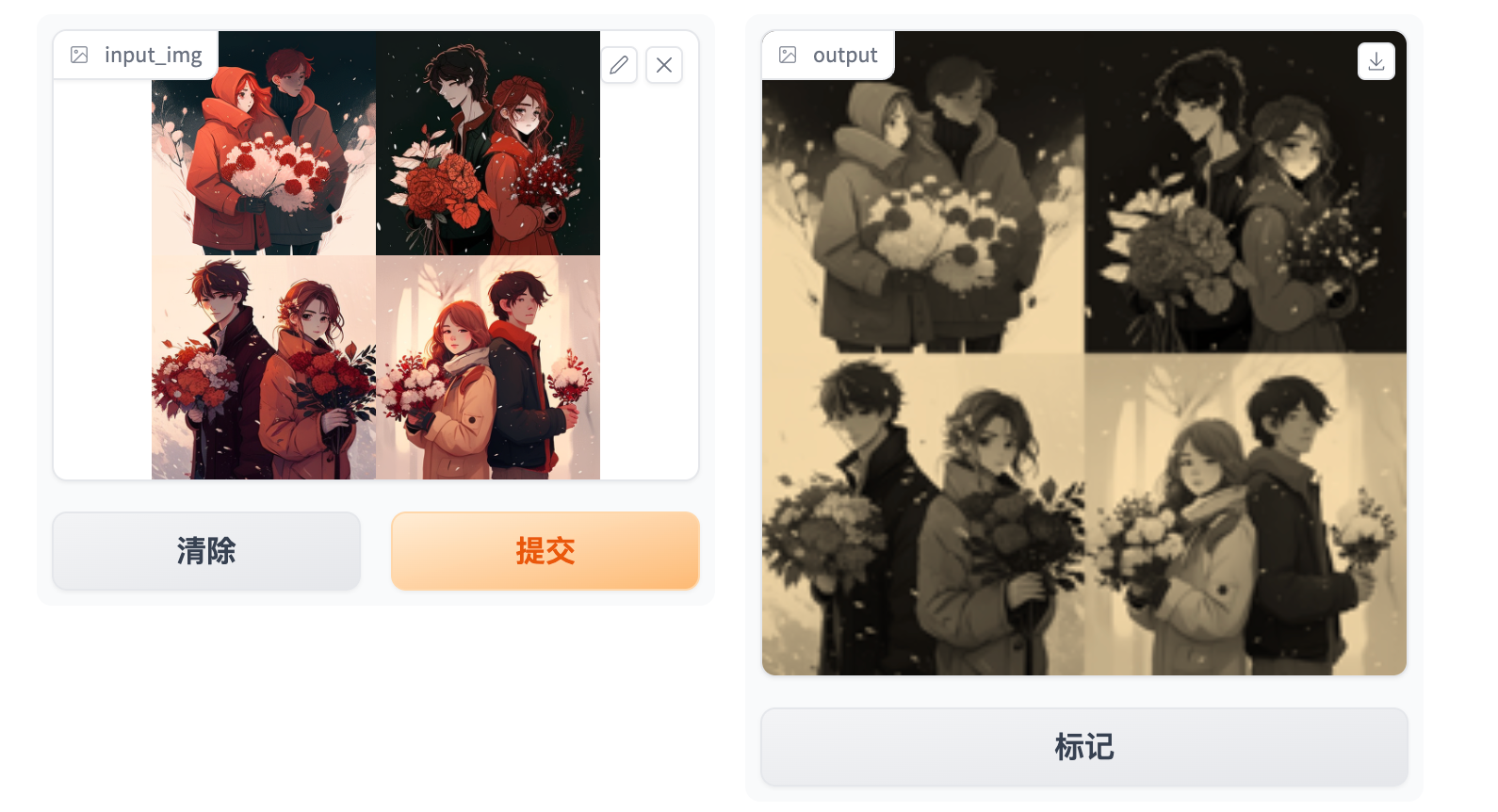
Gradio supports many types of components, such as Image, DataFrame, Video, or Label. Let’s try an image-to-image function to get a feel for these!
Gradio 支持非常多种类型的组件,比如 图片,数据结构,视频,或标签。
让我们来看一个图片转图片的函数来感受一下~


8th 6, 4.33 pm 起 72h 有效:
https://73564d11aed214a553.gradio.live
这个测试的有点慢:


哇。sepia 是红褐色的,深褐色的意思。
「有的时候看到 image-to-image 就觉得是一个很大的模型,但其实裁剪图片,处理图片也是图片处理呀。自己想象总会骗人,直到实践戳破。」
When using the Image component as input, your function will receive a NumPy array with the shape (height, width, 3), where the last dimension represents the RGB values. We’ll return an image as well in the form of a NumPy array.
当用 图片作为 输入的时候, 你的函数会以 (高度,宽度,3)张量 接受这个图片,最后一个维度 “3” 表示的是 RGB 值。
You can also set the datatype used by the component with the type= keyword argument. For example, if you wanted your function to take a file path to an image instead of a NumPy array, the input Image component could be written as:


你可以用组件的 type = keyword 参数来设置数据类型。比如,如果你想让你的函数读取图片的文件路径,而不是 Numpy 序列,input Image 组件要写成上面的图片这样。
这样是有误解的。其实也可以看到,shape 是黑色的, type 这个绿色的,表示不用出现?


折腾了半天,提了一个 issue 给官方。


Also note that our input Image component comes with an edit button, which allows for cropping and zooming into images. Manipulating images in this way can help reveal biases or hidden flaws in a machine learning model!
注意啦,我们的输入组件是有一个编辑按钮的,允许我们裁剪和放大图片。这样操纵图片我们可以显示机器学习模型中的偏差和潜在缺点!
You can read more about the many components and how to use them in the Gradio docs.
你可以再 docs 里面了解如何使用许多的组件。
Blocks: More Flexibility and Control
块:更灵活和可控
Gradio offers two classes to build apps:
1. Interface, that provides a high-level abstraction for creating demos that we’ve been discussing so far.
2. Blocks, a low-level API for designing web apps with more flexible layouts and data flows. Blocks allows you to do things like feature multiple data flows and demos, control where components appear on the page, handle complex data flows (e.g. outputs can serve as inputs to other functions), and update properties/visibility of components based on user interaction — still all in Python. If this customizability is what you need, try Blocks instead!
Gradio 提供了两个类来搭建 app:
1,Interface,就是我们一直以来用的这种,提供高度抽象来创建例子;
2, Blocks,一个低层级的 API 来设计 web 应用,以更灵活的布局和数据流。Blocks 允许你 为多种数据流和演示 加特征,控制页面上组件出现的位置,处理复杂的数据流(例如,输出作为其他功能的输入),并根据用户的互动(交互)来更新组件的属性和可见性,也完全用 Python。
Hello, Blocks
让我们以 Blocks 的方式再来一次 hello world


Things to note:
需要注意:
Blocksare made with awithclause, and any component created inside this clause is automatically added to the app. Blocks 是用 with 写的,并且里面写的组件会自动的加到 app 里;- Components appear vertically in the app in the order they are created. (Later we will cover customizing layouts!) 组件会按照它们创建的顺序垂直的出现在 app(晚点我们再说自定义布局)「和 Python 的 tkinter 很像!」
- A
Buttonwas created, and then aclickevent-listener was added to this button. The API for this should look familiar! Like anInterface, theclickmethod takes a Python function, input components, and output components. 添加了一个按钮,然后有一个点击的事件监听被添加到 这个按钮上。像这样的 API 应该很眼熟吧!「是的哇,ACCESS 宏编程里面就是这样子,还有 selenium 模拟爬虫的时候 session.click ,啊,还有 SAP 里面也是」
More Complexity
更多的复杂性
Here’s an app to give you a taste of what’s possible with Blocks:
这是一个 app 来给你看看 Blocks 可以干嘛。


https://74efb00ed02595f418.gradio.live (6月8日 6pm 起,72h 有效)


确实,可以更细致的定义各个组件。
A lot more going on here! We’ll cover how to create complex Blocks apps like this in the building with blocks section for you.
我们会在 building with blocks 这里讲更多细节。
Congrats, you’re now familiar with the basics of Gradio! 🥳 Go to our next guide to learn more about the key features of Gradio.
恭喜,你已经熟悉 Gradio 的基础了。让我们一起学习 Gradio 的 key features 吧!
「好的,我可以把 Gradio 写在简历上了 😊」